Artpilot
UX & product · Case study
Artpilot, a booking app for art services. Self-directed, six weeks.
One guided flow for booking art services, designed for the art world's workers.
01 The brief
Booked by email, priced by phone, wrong on both sides.
Art services — delivery, installation, framing, storage — are still arranged by email and phone. Pricing stays hidden from the client, providers arrive without the site details they need, and the errors land on both sides.
Artpilot replaces the thread with one guided flow that settles price, scope and site requirements before checkout, so client and crew start the job already aligned. I did all of it: research, flows, prototypes, testing, brand.
- Project
- Artpilot — a booking app and website for art services. Self-directed
- Role
- Solo: research, UX, prototyping, usability testing, brand
- Duration
- Six weeks, summer 2025
- Delivered
- App and web prototypes, user flows, brand kit, research plan and synthesis
- Tools
- Figma, Adobe CC, Miro
- Published
- 09/08/26

Ditch the endless thread. Booking still runs on email and phone tag. Artpilot puts pricing and site details in one place before checkout.
02 Who it's for
Five kinds of client, from the gallery to the first-timer.
Galleries and cultural institutions; corporate collections; artists and makers; private collectors; art advisors. Interviews and five personas showed the needs overlap, but the vocabulary and the scale don't: a residential client will never schedule a fifty-work install, and an office move is nothing else.
The first-timer decides whether the product exists at all. The expert copes with anything; she is the one the language has to be right for.
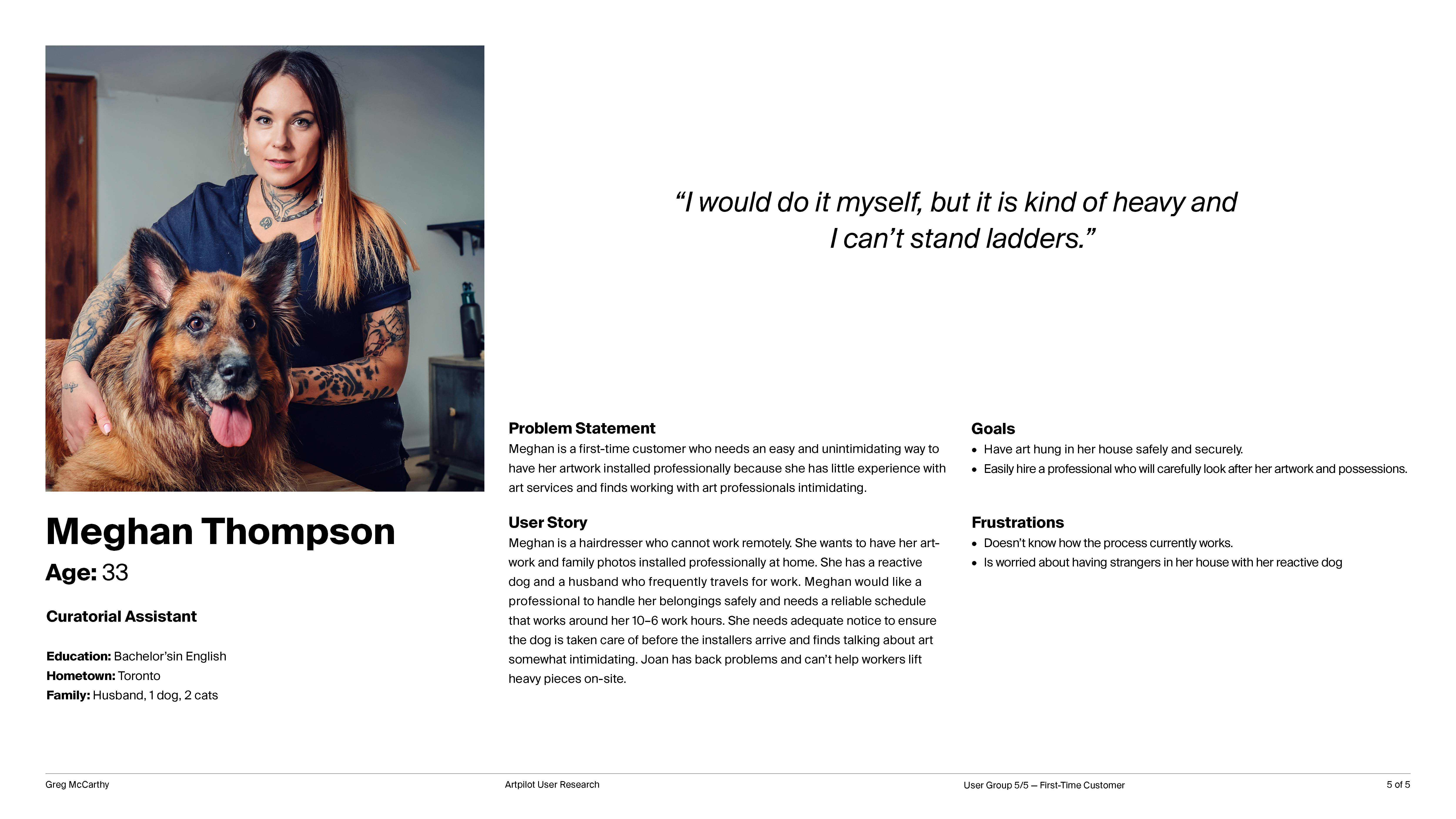
Meghan, the first-time customer. One of five personas; the one the language chapter is for. Click to enlarge.
03 The flow
Confirm, don't type.
One flow for every order type, modelled on the consumer apps people already trust. Autofill, short step summaries and plain language keep typed input near zero: most answers are pre-populated, and the client mainly confirms each step — the feeling of being walked through by someone who has done this a thousand times.
- Home
- New order
- Details · Contact · Schedule · Billing · Review
- Confirmation
Book it for someone else.
Scheduling and payment can be handed to a caregiver, family member or assistant as part of the order itself, not bolted on. The same affordance covers anyone who can't meet the crew on arrival: people who need translation, or who can't point out where the work should hang.
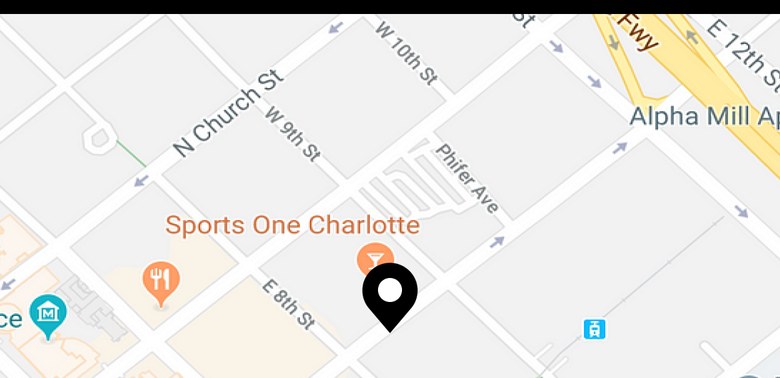
Guided from door to done. Autofill and step summaries keep typing near zero. Most of the flow, you simply confirm.
04 The language
Language is a design material.
Early rounds kept stalling in the same place: overlapping service names and art-world terms nobody outside the trade uses. Consolidating the order types into one flow and rewriting every label in the client's words all but eliminated the confusion in the next round — people who had frozen at service selection completed the step without hesitation.
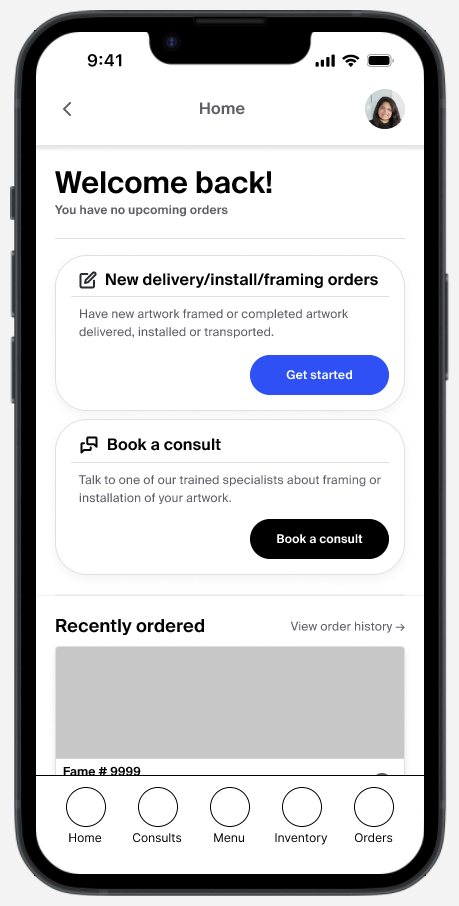
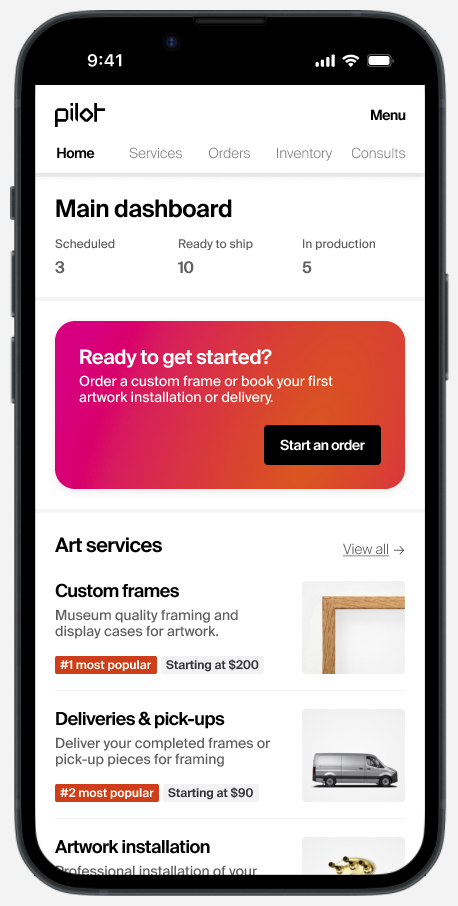
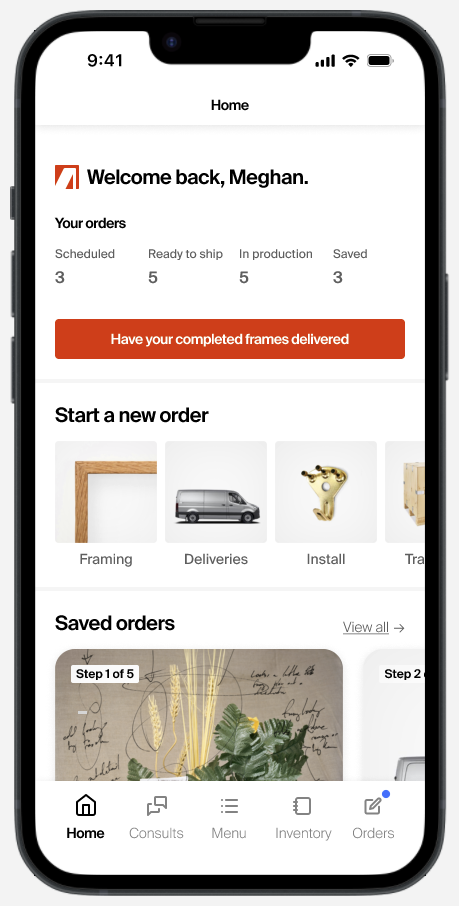
The home screen over three rounds. Bundled orders became à-la-carte, the dashboard and the quick-access menu merged, and the labels got shorter every time.
Questions that don't assign blame.
Interviewees worried about stairs, tight doorways and oversized works, and felt the copy made those their fault. A few scoping questions asked early, in neutral language, removed that sense of fault entirely.
05 One system
Built once, for two screens.
Gallerists and collection managers work from a desk in office hours, so the app got a browser-based counterpart. Knowing that from the start, the system was responsive before the screens were: variable tokens, icon sets sized against the type scale, components built on structure rather than fixed measurements, spacing meant to flex. The setup cost a week; every iteration after it was faster.
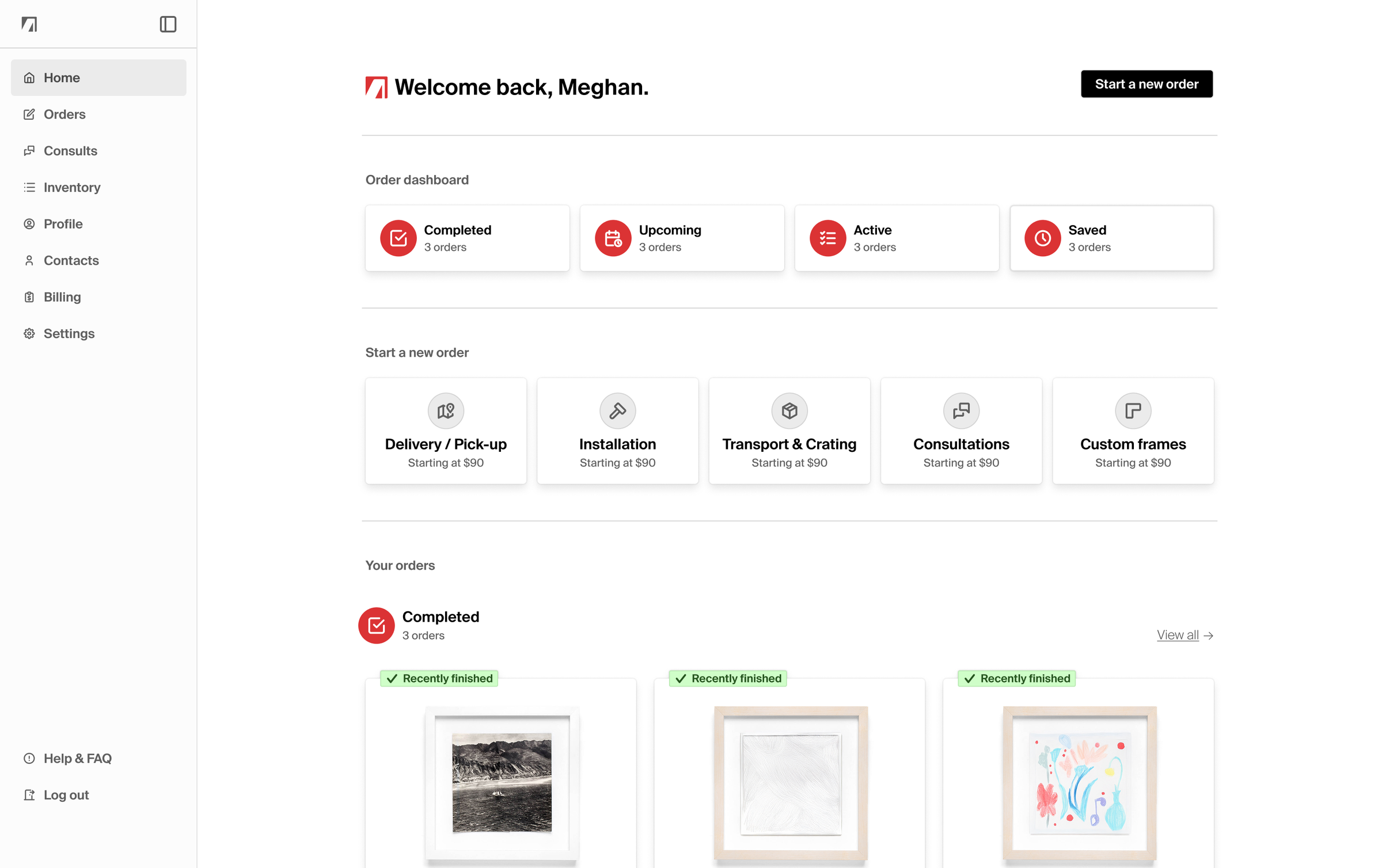
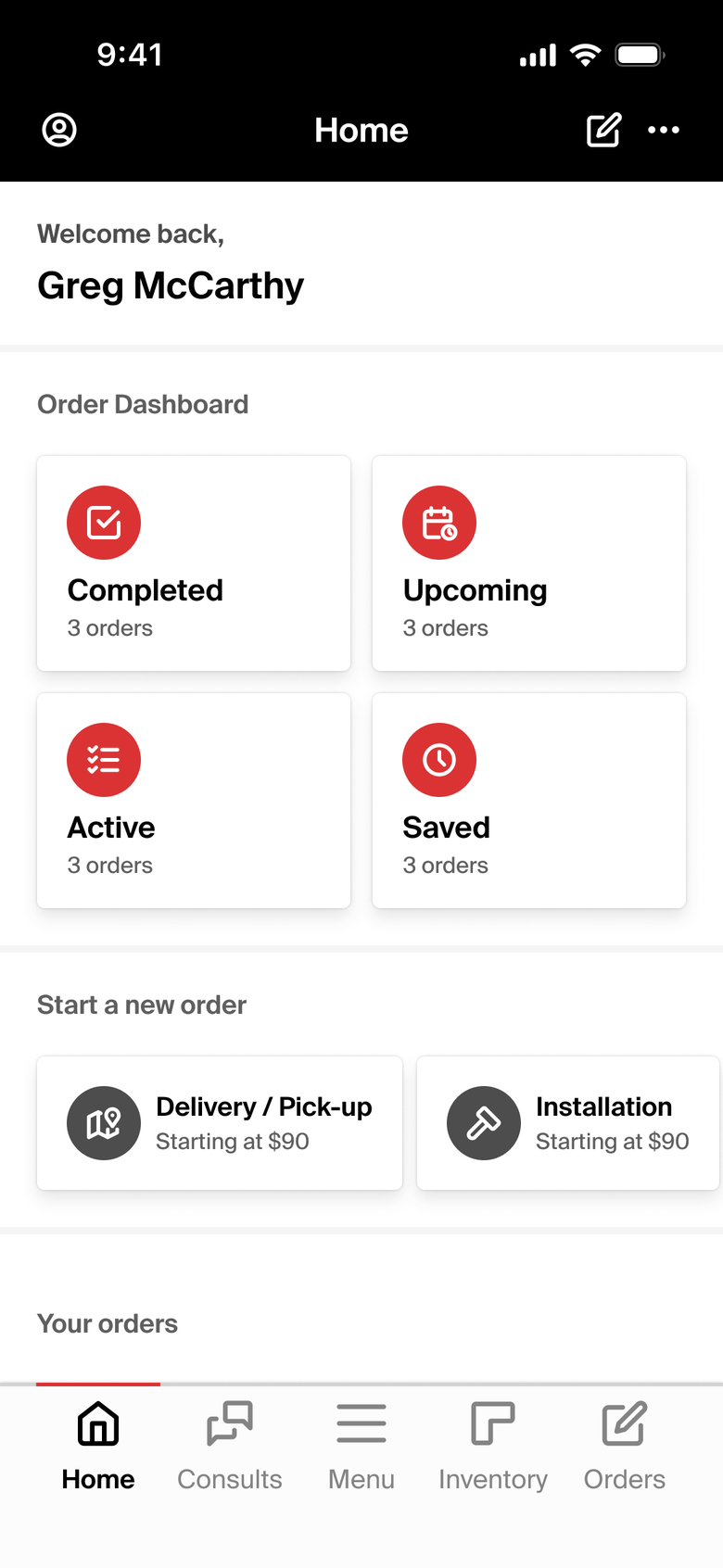
The same home on a desk and in a hand. One set of tokens, one component library, two layouts.
Hierarchy that doesn't rest on colour.
Every text pairing meets WCAG AA, touch targets start at 48px, and the card states carry their hierarchy in elevation, so low-vision users aren't reading colour alone.
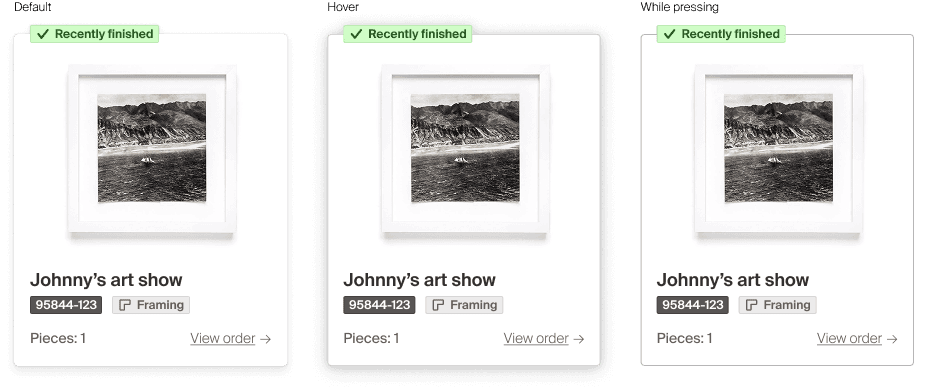
The order card at rest, on hover and while pressing. The state is in the elevation, not the colour.
06 The brand
The rigour of a gallery, without the white cube.
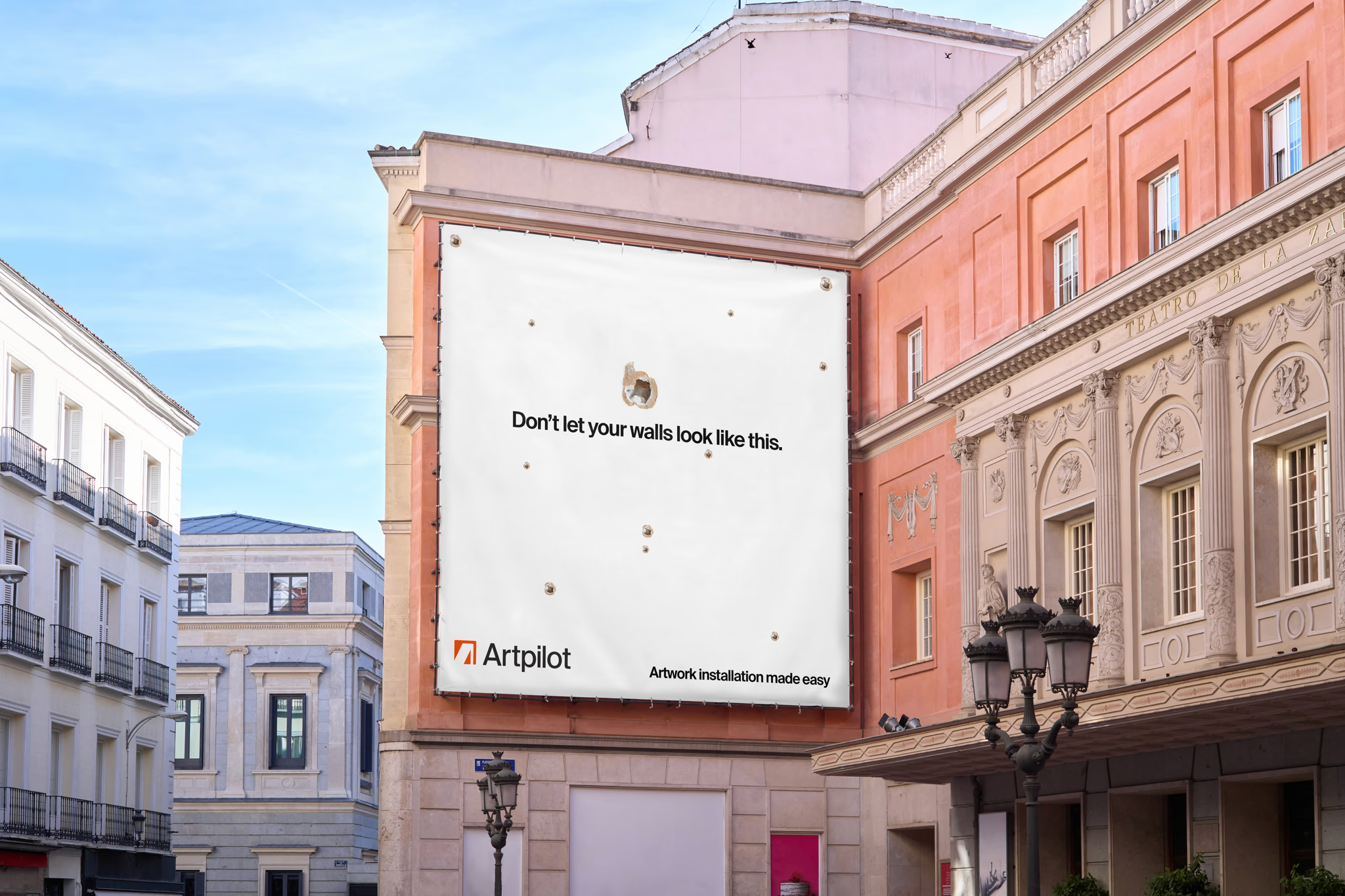
Artpilot brings a gallery's standards to the client's door and leaves the intimidation behind: approachable in tone, minimal in form, never the cold formality that makes the art world feel closed. Suisse carries it — chosen for readability, language support and condensed styles that hold up where the brand works hardest: packaging, signage, uniforms, shipping labels.
The mark, the wordmark and the full lockup. The mark is a four-corner badge, drawn on grid.
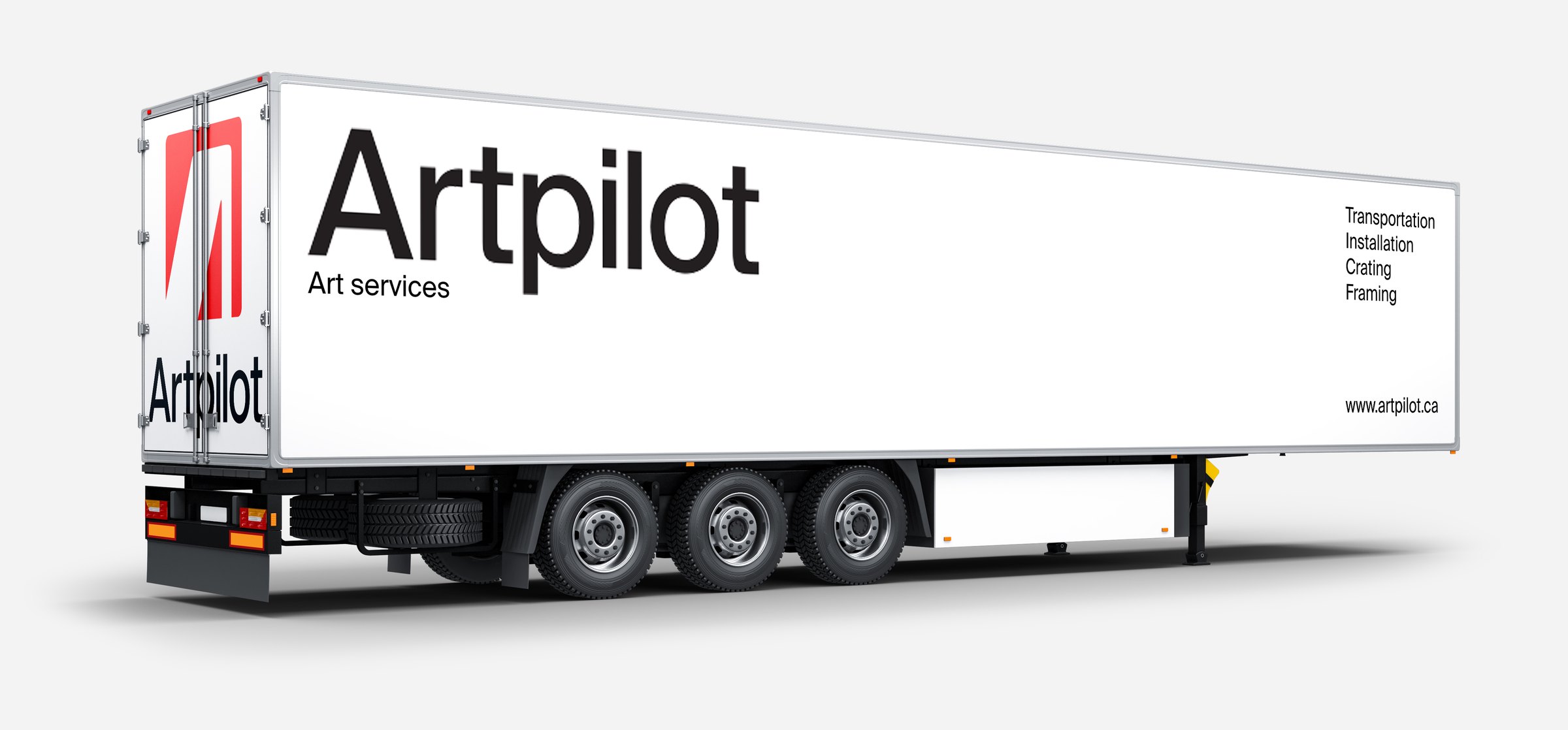
Where the brand works hardest. The lockup on a trailer, the services on the tail.
Tested twice, preferred every time. Small, directional samples — but consistent across moderated and unmoderated rounds. The full testing brief is available on request.
07 Outcome
A booking flow that speaks plainly.
Six weeks, one designer, two rounds of testing. Delivered: high-fidelity app prototypes for booking, order review and confirmation; a browser counterpart for the desk; a light brand identity carried across UI, motion and mockups.
Next, if it went further: an AR consult for remote condition reports and frame mock-ups, inventory management for large collections, service recommendation, and the delegated-access flow taken all the way.
What I'd carry forward.
- Rewrite before you redesign. Changing the labels moved behaviour more than any layout change did.
- Front-load the system. Tokens and responsive components cost a week and paid it back in every round.
- Design for the first-timer. The expert copes; the newcomer decides whether the product exists.
- Say what the numbers are. Small samples are directional. Claiming more would cost the trust the work earned.
Research, design and brand — Greg McCarthy.
Place an order yourself.